Wings Fight on Mobile & Console
Touch layouts, Roblox console / PS5 sessions, sensitivity, and hangar choices that forgive imperfect aim.
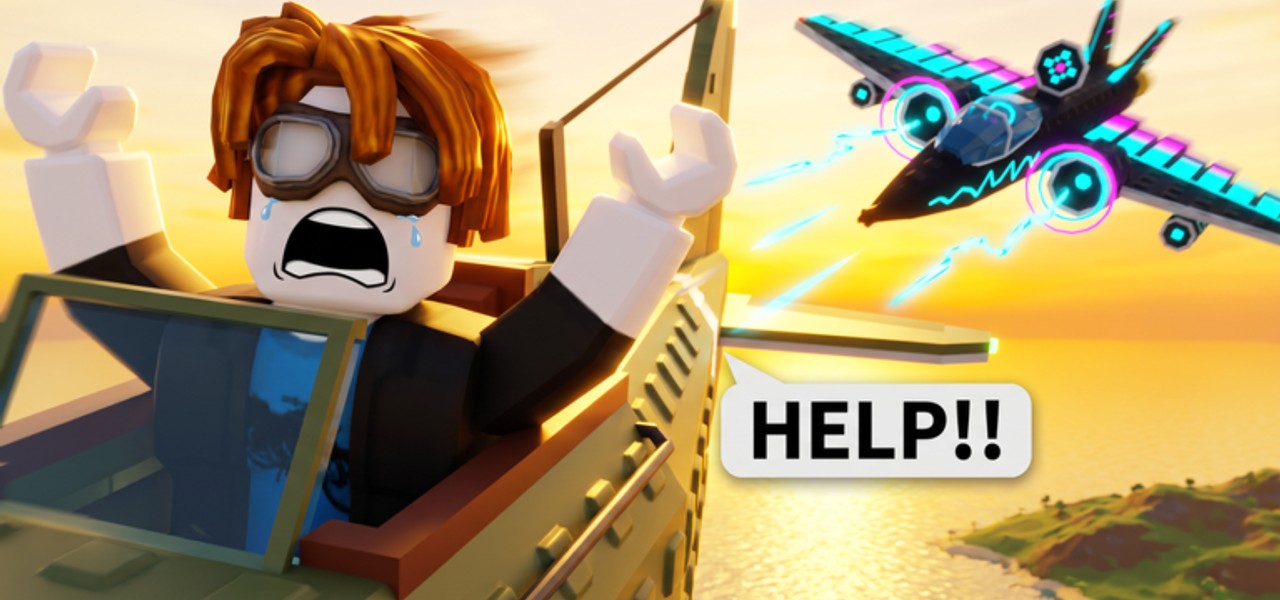
Wings Fight runs through Roblox on phones, tablets, and consoles—including PS5 sessions shown in community footage—not as a separate native fighter with its own storefront. The dogfight rules stay the same: up to 10 players, 30+ airplanes, mid-air repairs and special abilities, earn currency, buy better frames. What changes is input precision, UI reach, and which roles feel fair while you learn. This guide covers touch UI, console habits, sensitivity, Shop/Codes visibility, and when tankier planes beat glass interceptors on imperfect sticks.
Deep input tables live in Controls. First-hour loop: Getting Started. Kill conversion: Combat Tips.
Shared fantasy, different hands
| Factor | PC typical | Mobile | Console / PS5 via Roblox |
|---|---|---|---|
| Aim | Mouse precision | Thumbs / tilt | Right stick |
| Boost misclicks | Lower | Higher if fire/boost clustered | Moderate |
| Code redeem typing | Fast | Awkward mid-fight | Slow on-screen keyboards |
| Best early roles | Interceptor unlocks sooner | Tank / balanced climber | Balanced → interceptor |
Roles are community archetypes—confirm feel in your hangar (Plane Roles).
Mobile: touch UI that does not hide the fight
Thumb layout basics
- Keep thrust / steer on the side your brain already uses for Roblox movers.
- Put fire where a resting thumb can hold a beam without covering the entire horizon.
- Separate boost from fire if the default clusters them—panic boosts into bad angles are a mobile tax.
- Leave a clean center for enemy silhouettes and pickup glows (Mid-Air Pickups).
UI scale and readability
Roblox and experience settings that enlarge HUD chrome can bury Shop, Codes, or hangar buttons under your thumbs. Before a grind session:
- Scale UI so critical buttons remain tappable without covering the reticle zone.
- Confirm you can open the shop between deaths without three mis-taps.
- Practice the redeem path once via How to Redeem even though no verified public codes exist yet—drops expire while people hunt menus.
- Lower fluff graphics if trails and clouds hide enemy aircraft.
When to pick tankier planes on touch
Choose budget tank or forgiving climber first if you:
- Consistently lose snap 1v1s to PC mouse players
- Over-boost when both thumbs are busy
- Die before reaching repair orbs you can see
Save pure glass interceptor energy for after your lead shots stabilize. Best Starters and Starter Planes explain teacher buys; Earn Cash explains why survival income matters on touch.
Console / PS5 via Roblox
Community creators (for example VENY) have posted PS5 Wings Fight gameplay. Expect:
- Full dogfight loop through the Roblox console client
- Stick aim that needs a few matches of calibration
- Same hangar economy as PC/mobile—no console-only max plane
Stick priorities
- Right stick sensitivity high enough to track a turning fighter, low enough that micro-corrections do not overshoot.
- Boost on a bumper/trigger you will not mash while adjusting camera.
- Camera assist habits — short resets after big banks so the next lead shot starts clean.
- Deadzone comfort — if the plane drifts while you aim, fix settings before blaming the starter jet.
Console session hygiene
- Finish or disengage before opening shop overlays mid-merge.
- If a promo code ever lands, land the redeem between lives—on-screen keyboards are slow.
- Ignore “console script” spam; there are no verified public scripts. Read Scripts only for safety context.
Sensitivity checklist (all non-PC devices)
Use one change at a time:
- Set a baseline where a 180° check does not whip past the target.
- Fly three lives focusing only on keeping the nose on a strafing enemy.
- If you constantly overshoot, lower look sensitivity slightly.
- If you cannot keep up with turn fighters, raise it slightly or pick a tank while you practice.
- Re-test after Roblox client updates—defaults can shift.
Write the final numbers in a note. Consistency beats weekly tinkering.
Combat habits that travel across devices
Device does not rewrite physics fantasy:
- Do not boost in a straight line at the nearest trail (Combat Tips).
- Bank height before re-engaging when HP is low.
- Route through repairs instead of ego-chasing.
- Refuse bad 1v2s in a 10-player sky.
Mobile and console pilots who internalize these rules climb hangars faster than PC pilots who only buy expensive frames (Unlock Planes).
Hangar plan for non-mouse pilots
- Starter teacher — learn HUD and orbs.
- Tank or balanced climber — raise survival income.
- Turn fighter / mid interceptor — once tracking improves (Midgame Planes).
- Endgame hybrid — when cash and aim both convert (Endgame Planes).
Skip prestige specialists until your fundamentals print cash (Earn Cash).
Troubleshooting table
| Problem | Try |
|---|---|
| Thumbs cover Shop / Codes | Lower UI scale clutter; remap; practice open path between lives |
| Stick aim shakes | Lower sensitivity; check deadzone; stabilize FPS/graphics |
| Always lose to PC players | Tank first; play angles and pickups, not pure flick duels |
| Boost dumps every fight | Separate boost control; count “boost only to close or escape” |
| Cannot redeem quickly | Learn UI offline of a hot streak; watch Codes for real drops only |
Related pages
Fly the client you have. Wings Fight rewards readable flight on every Roblox device—tune the UI, pick a forgiving role, then graduate to interceptors when your thumbs or sticks earn them.
Frequently Asked Questions
Quick answers for Wings Fight pilots.
Does Wings Fight work on mobile and PS5?
Yes. It runs through Roblox on mobile and console clients, including PS5 sessions shown in community videos. Mechanics match PC; inputs differ.
What plane should mobile players buy first?
A tankier or balanced teacher role is usually kinder than a glass interceptor until touch aim stabilizes. See Best Starters.
Why can’t I see Shop or Codes on my phone?
UI scale and thumb overlays often cover buttons. Shrink clutter, remap if needed, and practice opening menus between deaths.
Should console players copy PC sensitivity?
No. Calibrate stick look so you can track turn fighters without constant overshoot, then re-test after a few matches.
Are there mobile or console scripts for Wings Fight?
No verified public scripts. Anything promising device-only unlocks is a scam or ban risk—read Script Safety.